Production Module

Production

With the Production module you can follow all company production processes from raw material processing to delivery of the finished product. It is structured in several phases:

  1. Resources: manage the machinery used in production phases
  2. Bill of materials: configure your products by connecting raw materials to assemble them
  3. Production cycles: define the various work phases and related resource usage
  4. Customer order: create customer orders on which to generate a work order
  5. Work order generation: manage work orders and automatically plan your departments
  6. Processing: declare produced pieces and actual processing times
  7. Shipping: create delivery notes and related invoices at the end of the month

gestionale assistenza tecnica


Everything you need in one software
Contact us to request a demo of the production module.


Punctuality
Accurate planning based on production times

Control
Accurate monitoring of work phase progress

Optimization
Optimum utilization of production resources


Waste reduction
Reduction of waste, errors, downtime and unnecessary movements

Traceability
Monitoring of raw material lots and real-time stock levels

Reliability
Increase in service quality towards customers


1. Resources

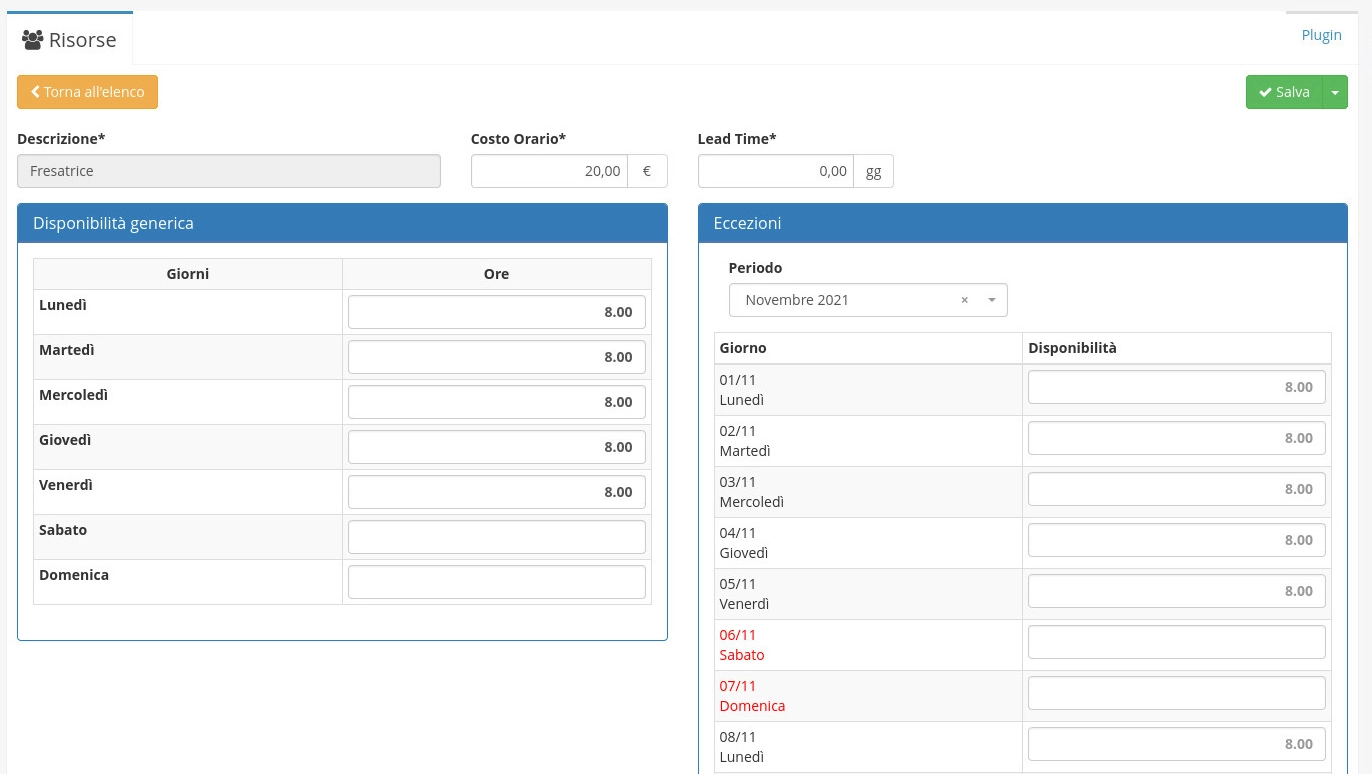
In the Resources module you can register the different machines used for processing each phase of production. For each resource you can define availability hours per day of the week and any exception hours when the machine is not available (holidays, operator missing, repair, etc.).

The resource availability hours and days are used to automatically calculate the expected completion dates of work orders that will be started in production.

open source software


2. Bill of materials

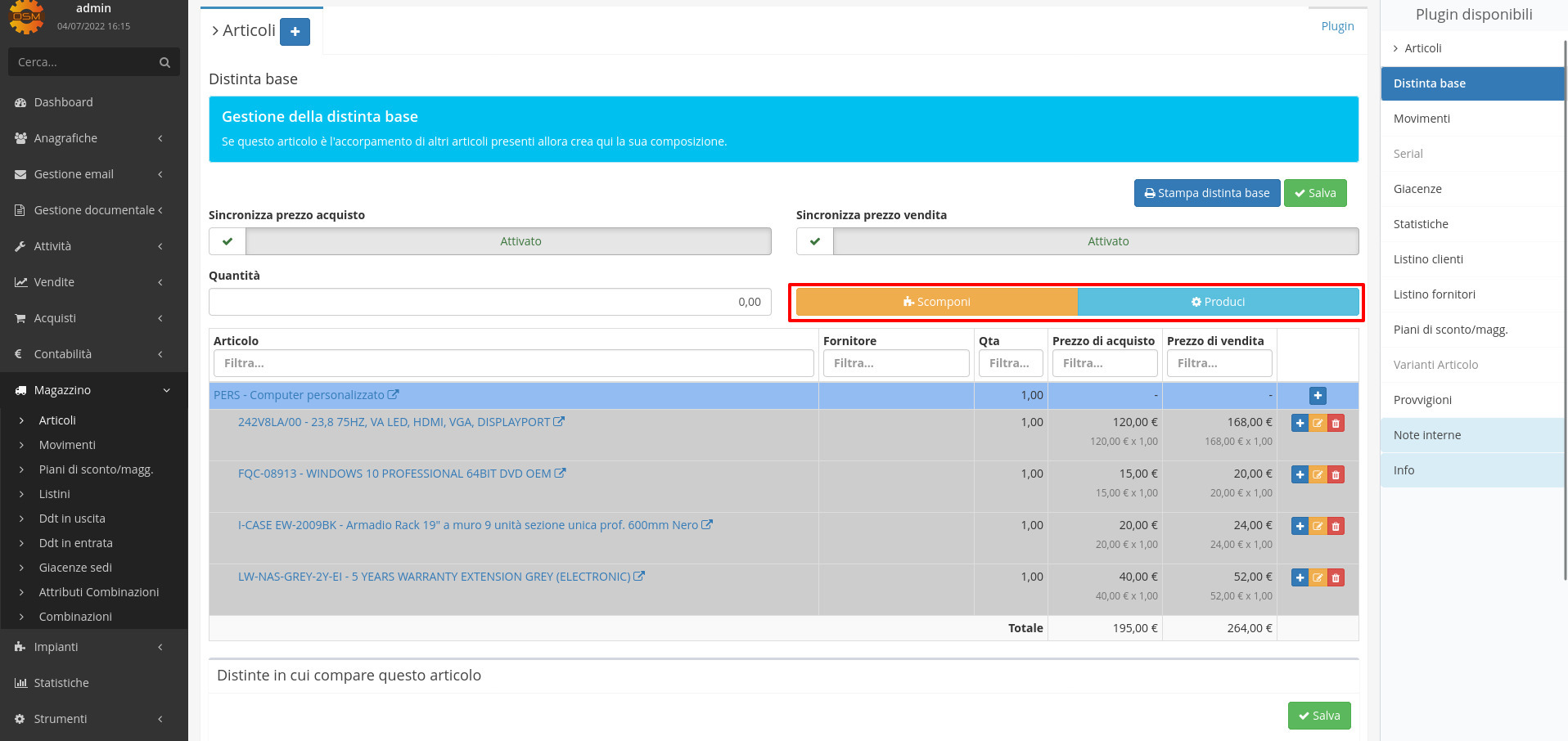
Within each article you can build the bill of materials, thus connecting child articles and raw materials that compose it, so as to prepare the production of the final article:

open source software


3. Production cycles

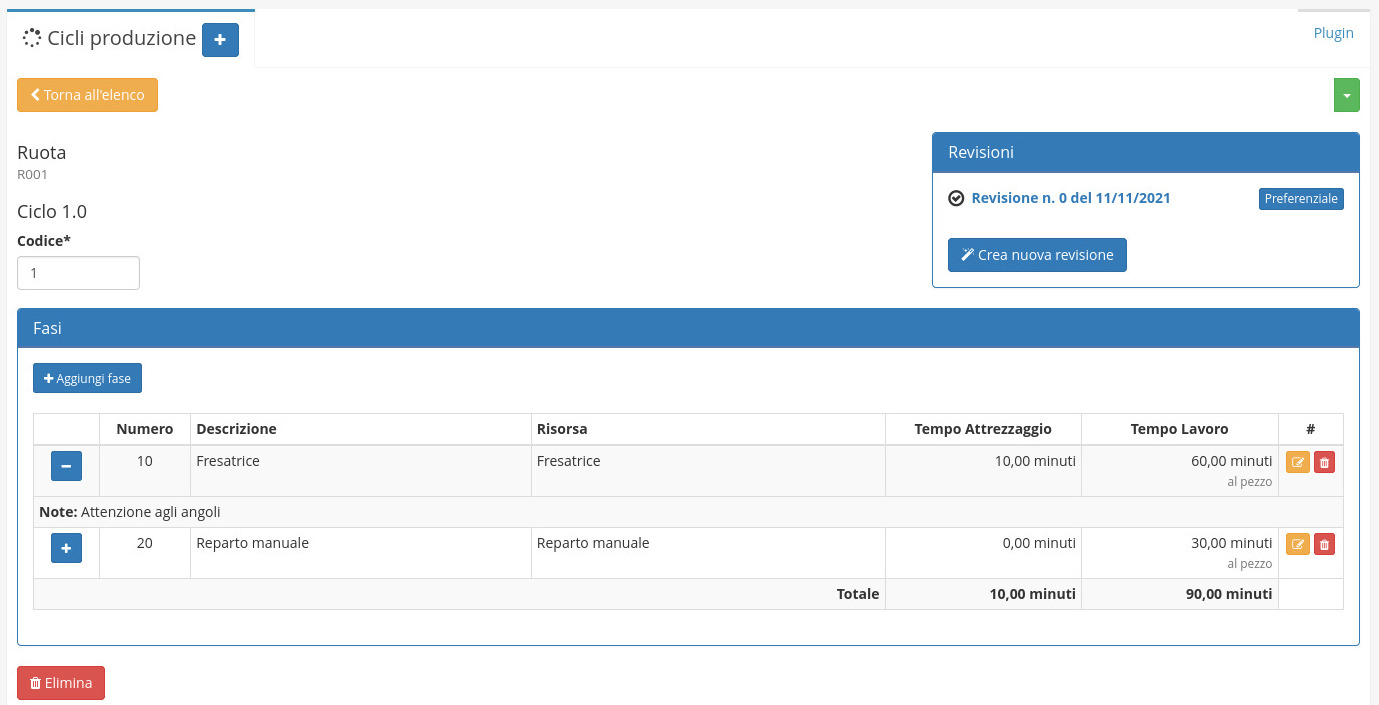
In this module you can define the various processing phases of a product, establishing the expected times. For these phases it is possible to create revisions, so you can evaluate the production of the same article with different phases and times and choose the most advantageous ones.

There is no limit to the number of phases, the important thing is to enter the expected time as accurately as possible to correctly plan the production of articles.

open source software

4. Customer order

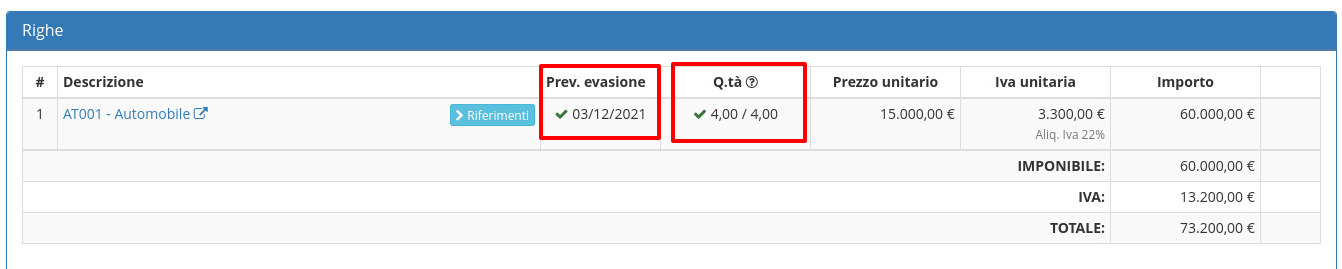
The customer order is the starting basis for work order generation, in fact when a customer sends an order for an article, based on the requested quantities it is possible to generate work orders (Work Orders). If instead the quantity in stock is already sufficient, work order generation will not be proposed because the article will already be available.

In detail, it is necessary that the article line is confirmed and that a delivery date is set, so as to generate the work order with an expected completion date. Backwards, the start date of each phase will be calculated so as to also schedule each phase in sequence order.

open source software


5. Work order generation

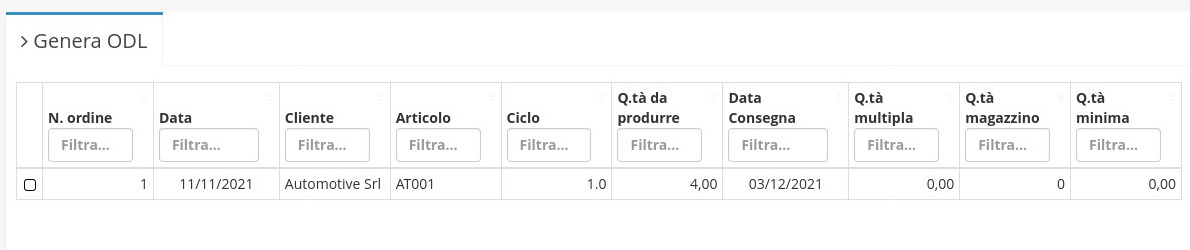
From Production → Generate Work Order you can view the work orders to generate following the registration of customer orders. You can check the lines of articles that need to be produced and from group actions press Generate Work Order:

open source software

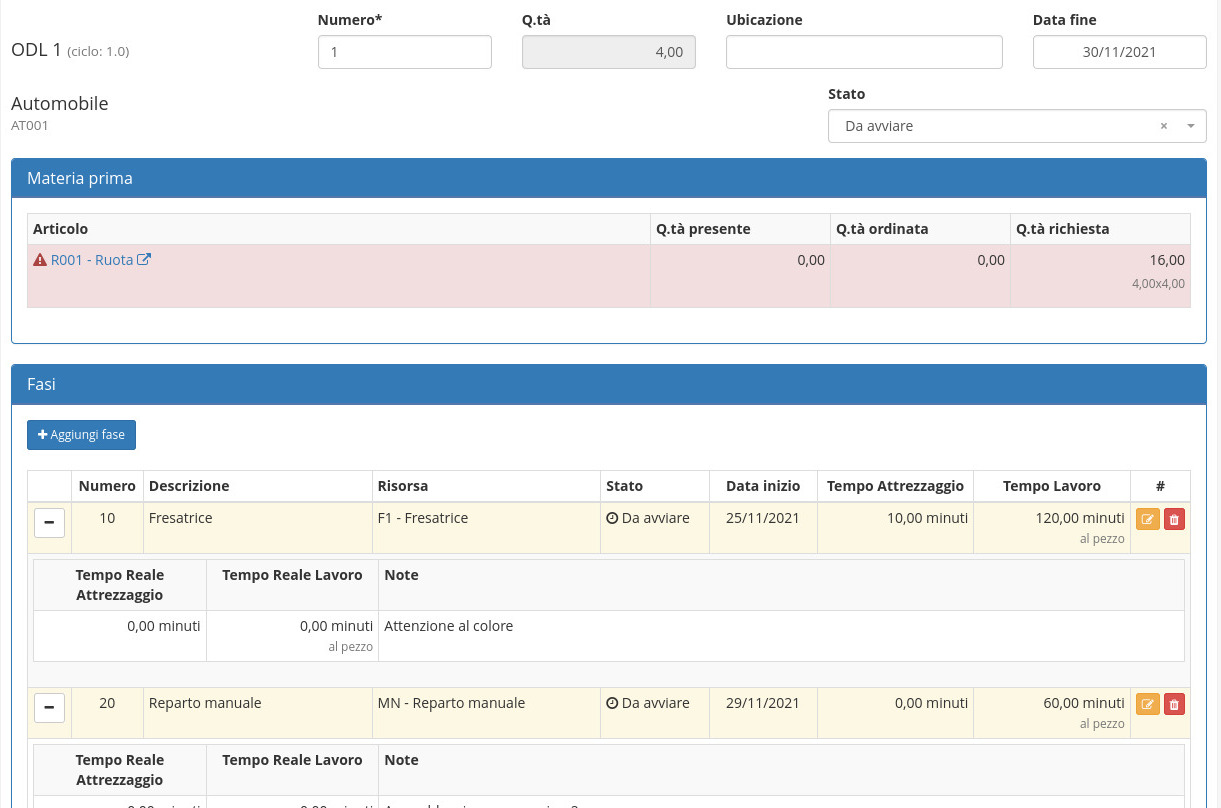
Once the work order is generated, inside Production → Work Orders you can view the generated work order with the expected raw material and expected phases. Furthermore, based on the article delivery day to the customer, subtracting the delivery days, backwards the various processing phases are planned (Start Date):

open source software


6. Supplier orders

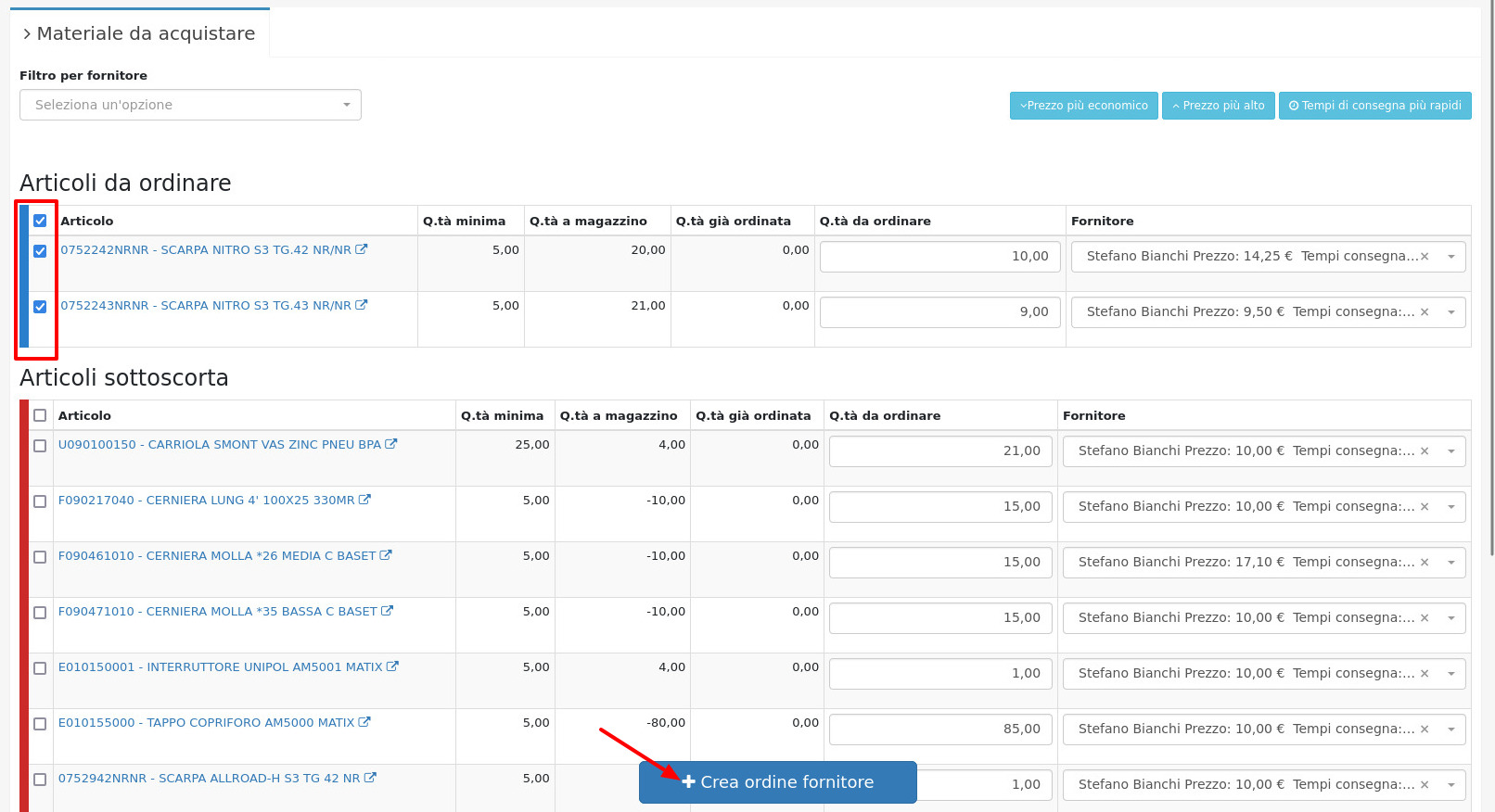
In the Material to purchase module you can view the articles committed in work orders that need to be ordered to proceed with production, including raw materials that compose a specific bill of materials in case it is present in some work order.

It is also possible to view articles that in stock have a quantity lower than the minimum threshold set, allowing to order them massively via selection and clicking on Create supplier order.

open source software


7. Processing

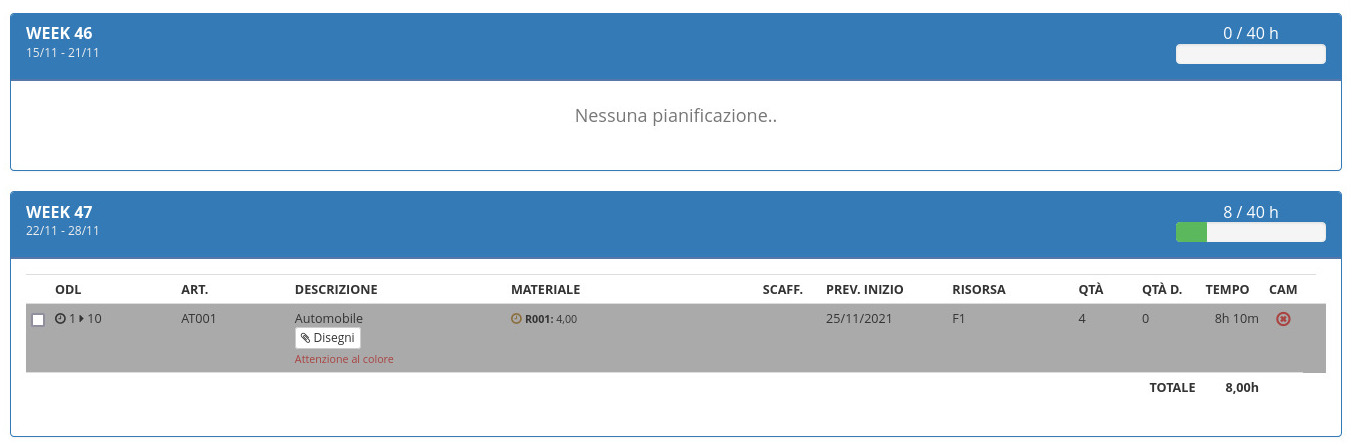
Following the generation of work orders you can view the planning of each department from the Production menu. Each department can view the list of phases to process organized in weeks divided based on expected workload (work time + setup time per phase), compared to resource availability time (configurable within resources):

open source software

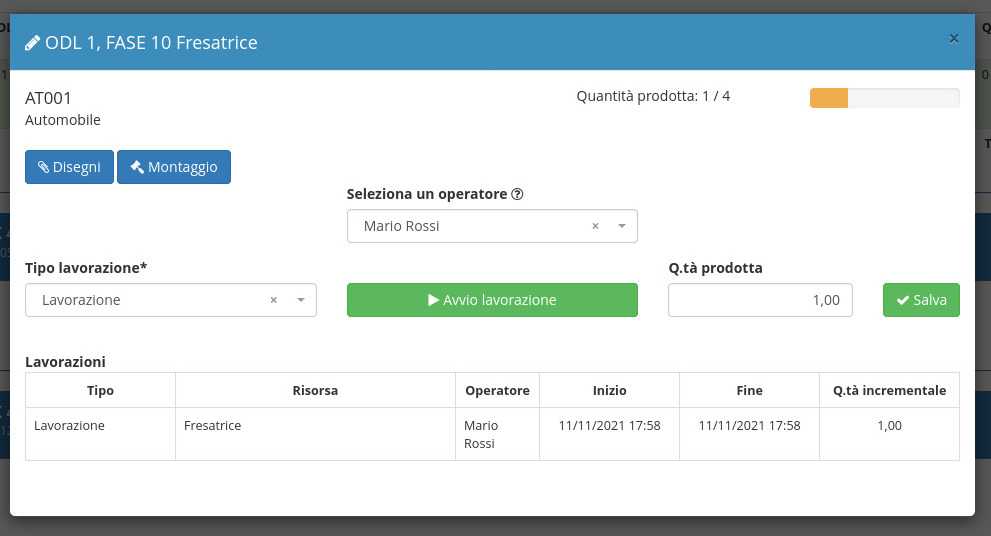
It is possible to work on each phase only if there is sufficient raw material or if the previous phase has been completed or at least started. From this screen the operator is selected, the type of processing and the processing is started.

Once processing is completed with Stop processing the number of pieces produced will be requested (also manually modifiable next to it for manual corrections) and it will be possible to view the work sessions already carried out for that phase. It is also possible to view any attachments of the article to be produced (technical drawings, photos, etc) and assembly instructions if provided (they are managed by a separate module).

At the end of each phase, it is also required to enter the location of the semi-finished product (or finished product) in order to maintain traceability on the processed material.

open source software


8. Delivery

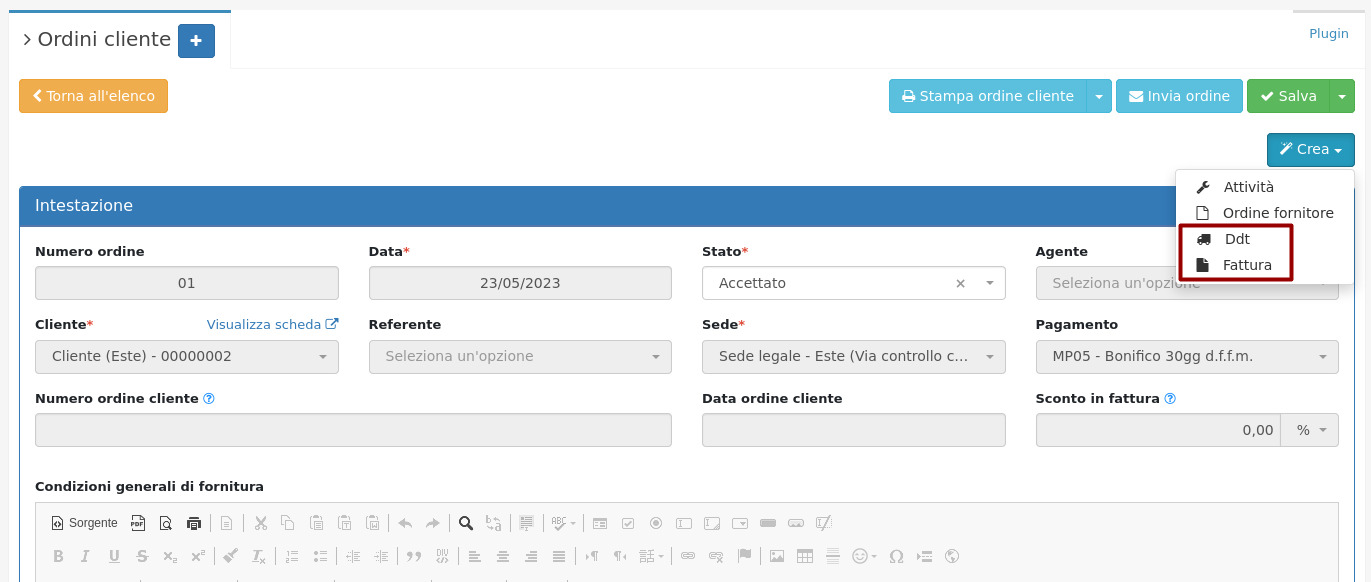
From the customer order you can create the transport document to deliver the order and the related sales invoice, thus accounting for the sale and completing the production cycle.

open source software